Skip to content
RECHTIGO
All features for clients
Your legal folder

Cases, contracts and deadlines in one place

Your legal folder collects everything legal that concerns you: your cases with documents and powers of attorney, your deadlines and your contracts. Rechtigo reminds you in good time by e-mail.

rechtigo.de/dashboard
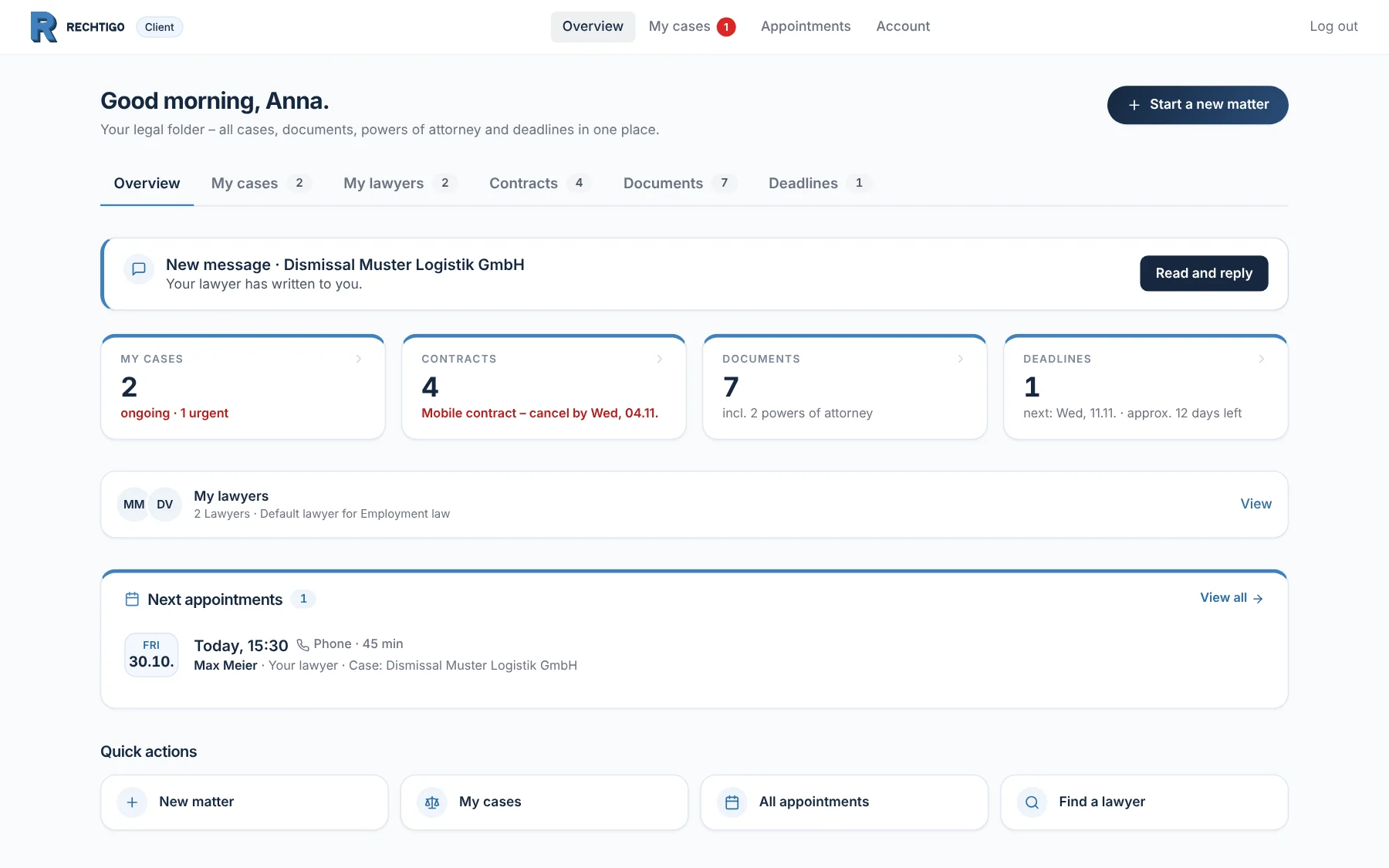
Screenshot from Rechtigo, client view: Cases, contracts and deadlines in one place
Pictured: Client view: the overview in the legal folder of client Anna Schulz on 30.10.2026 – at the top a new message, below cases, contracts, documents and deadlines, her lawyers and today’s appointment.

My cases

Ongoing and closed cases, with deadline and status.

Contracts

When you can give notice by – with a reminder.

Deadlines

From your cases and from the Deadline guard.

My lawyers

One regular lawyer per area of law.

Contracts

Notice windows at a glance

Photograph your contracts or enter them by hand – mobile, internet, gym, electricity. For each one, Rechtigo shows when you can give notice by and reminds you 30 and 7 days beforehand by e-mail. If there is trouble with a contract, ‘Problem with this contract?’ turns it into a prepared case.

  • The photo of the contract is not stored
From everyday practice

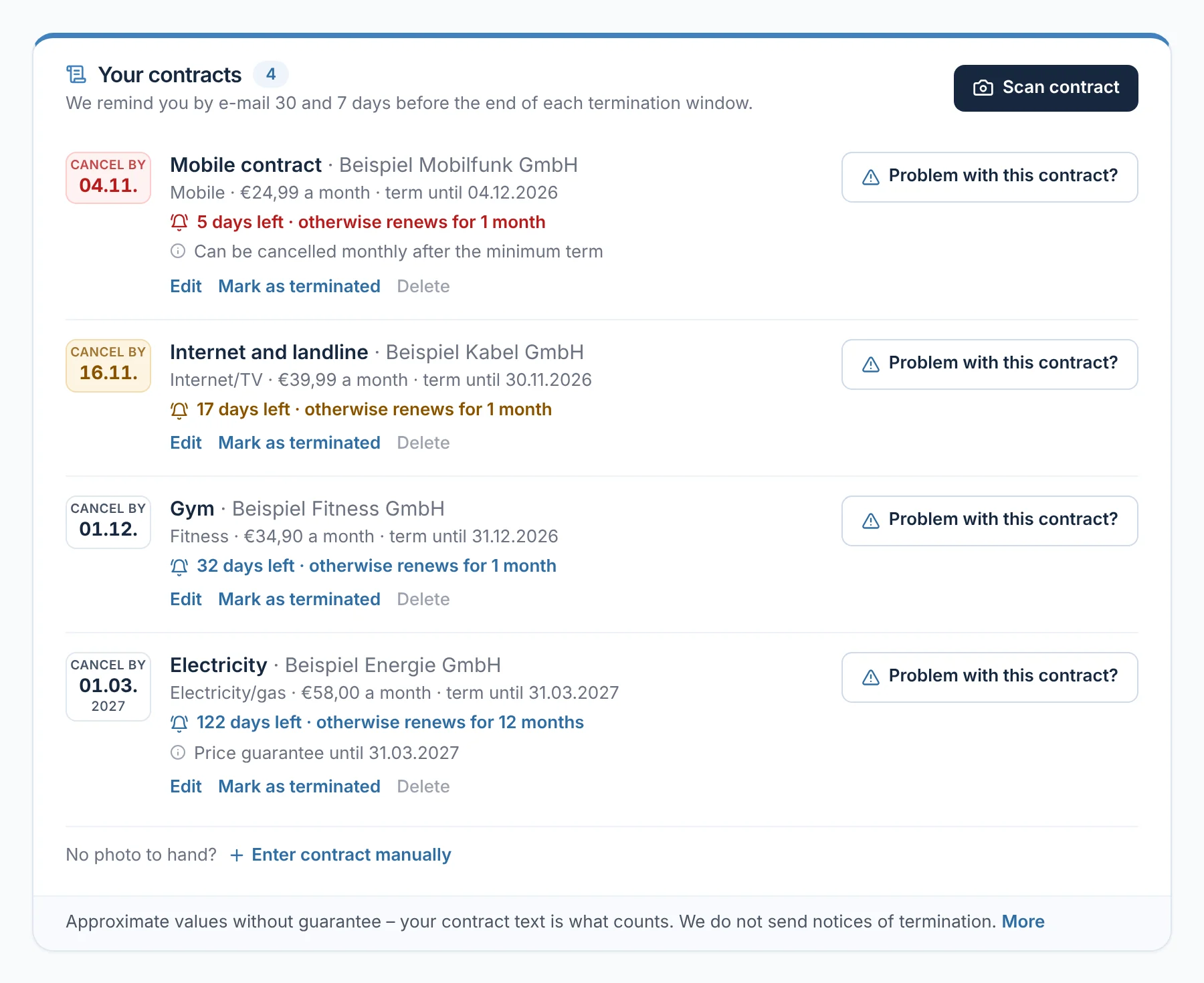
In the legal folder of client Anna Schulz, the mobile contract is shown in red: notice possible until 04.11., otherwise it renews for another month.
rechtigo.de/dashboard
Screenshot from Rechtigo, client view: Notice windows at a glance
Pictured: Client view: ‘Your contracts’ in the legal folder of client Anna Schulz – four contracts with the date by which notice can be given; the mobile contract is marked red: five days left.
Deadlines

Your deadlines, with reminders

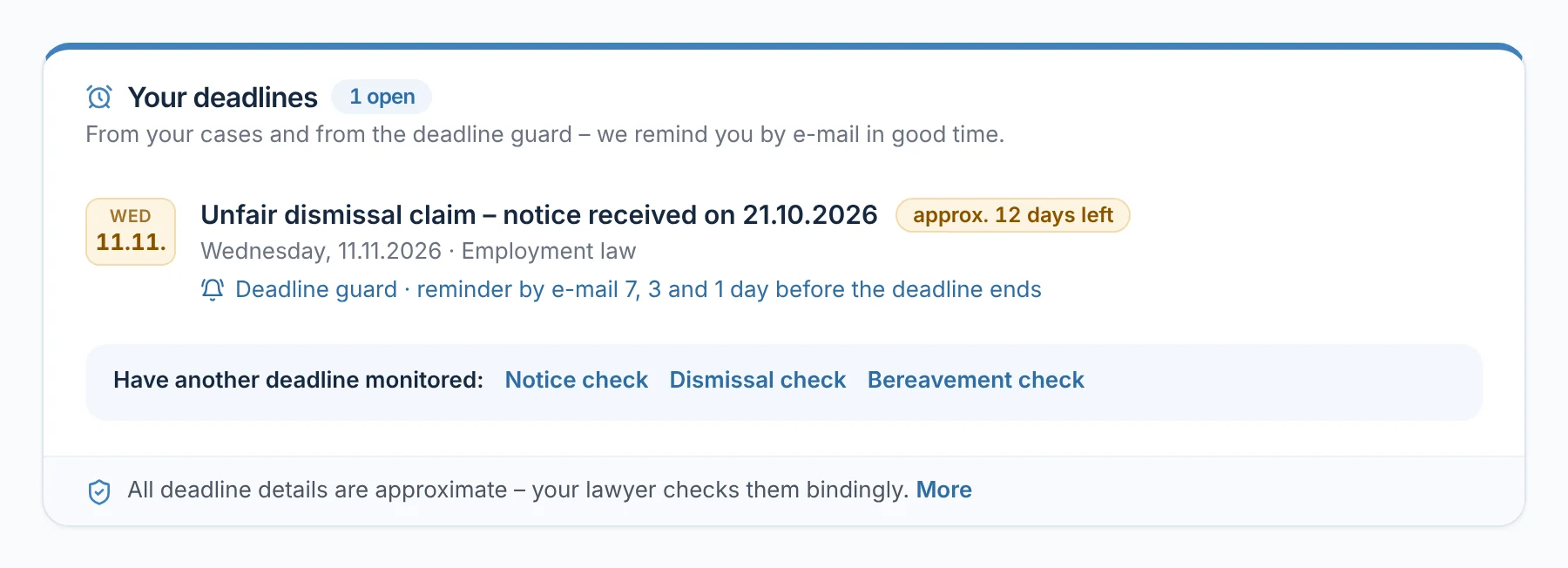
Here you see the deadlines from your cases and all those the Deadline guard monitors for you – even before you have chosen a lawyer. You start the Deadline guard in the case roadmap or in a check. Once you confirm by e-mail, it reminds you 7, 3 and 1 day before the deadline ends.

  • Deadlines from your case: reminder 5 days beforehand
  • All deadlines are approximate – your lawyer checks them bindingly
From everyday practice

Client Anna Schulz switched on the Deadline guard on the evening she received her notice of dismissal. For the deadline for filing a claim on 11.11.2026, reminders arrive on 04.11., 08.11. and 10.11.

rechtigo.de/dashboard
Screenshot from Rechtigo, client view: Your deadlines, with reminders
Pictured: Client view: ‘Your deadlines’ of client Anna Schulz – the deadline for filing a claim on 11.11.2026, monitored by the Deadline guard with reminders 7, 3 and 1 day beforehand.
My lawyers

Your lawyer for every area of law

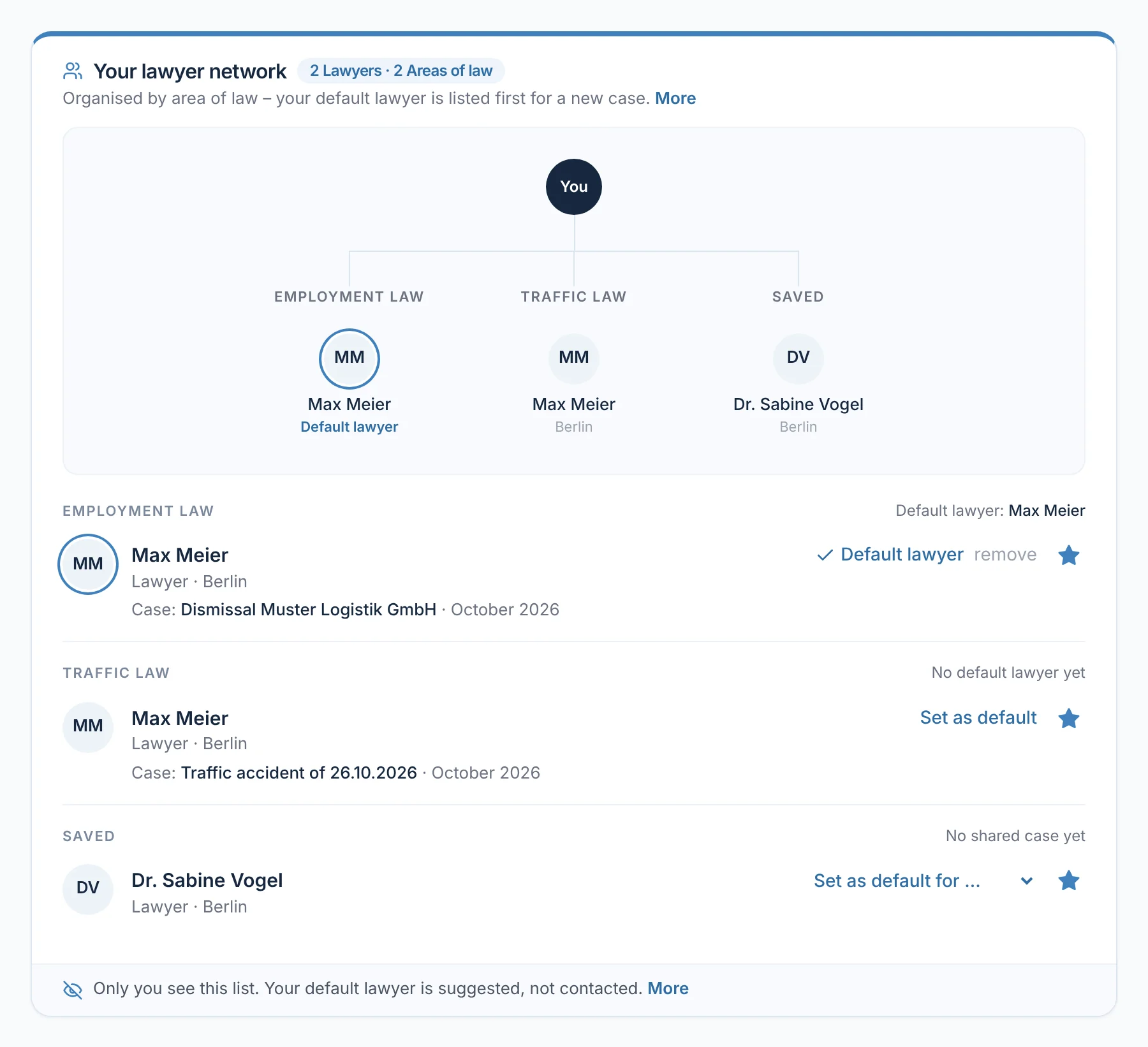
Your cases build up the ‘My lawyers’ list, sorted by area of law. For each area of law you set a regular lawyer; for your next case they appear at the top of the suggestions. You can save other lawyers with one click. Only you can see the list.

  • Your regular lawyer is suggested, not contacted – you decide
  • With your request, they see the note ‘Regular client’
rechtigo.de/dashboard
Screenshot from Rechtigo, client view: Your lawyer for every area of law
Pictured: Client view: ‘Your lawyer network’ of client Anna Schulz – lawyer Max Meier is her regular lawyer for employment law, and she has saved lawyer Dr Sabine Vogel.
Documents

Powers of attorney and documents to download

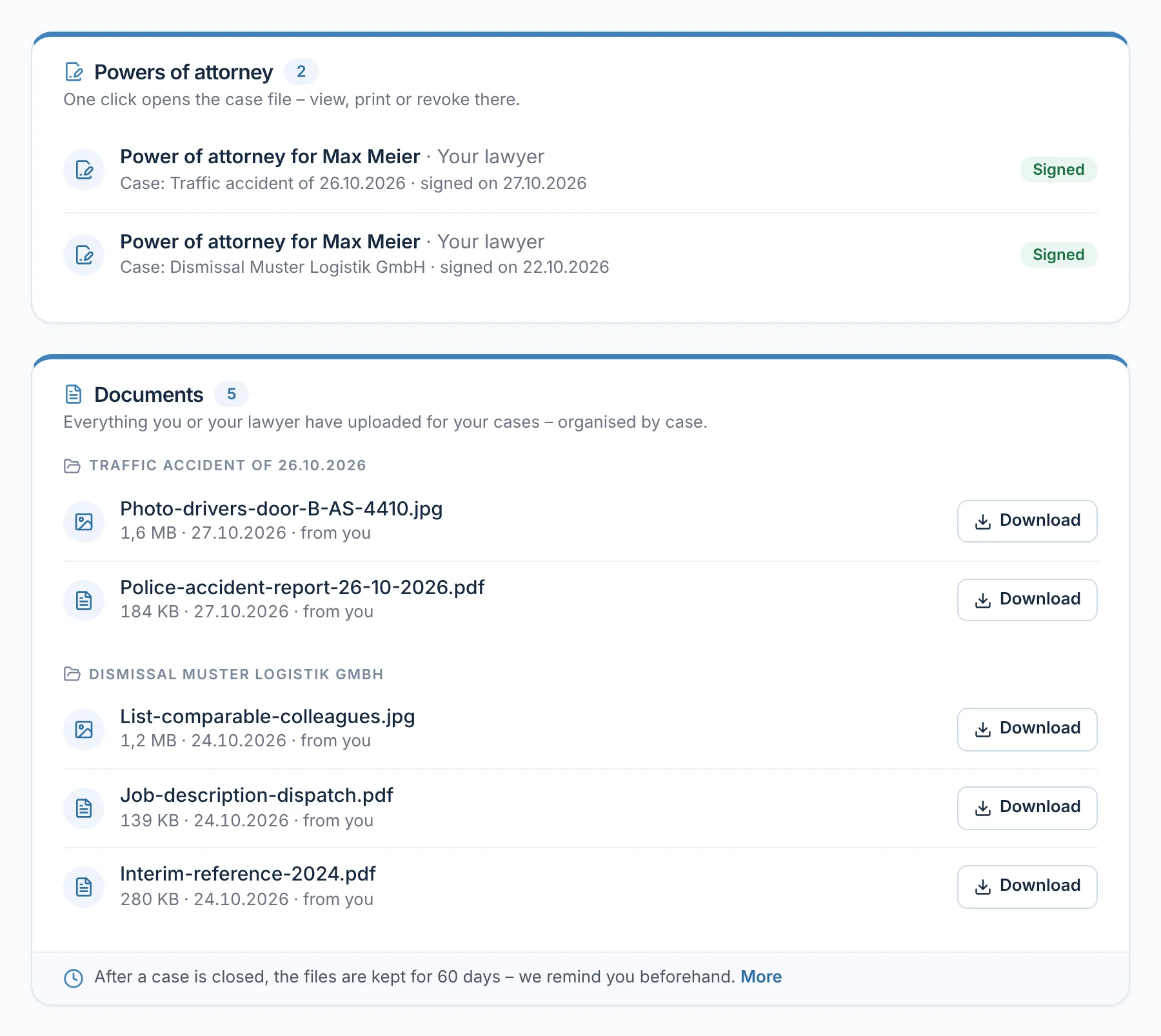
You find all powers of attorney and documents from your cases here, organised by case – with the date and who uploaded them. After a case is closed, the files remain for 60 days; Rechtigo reminds you beforehand.

  • A power of attorney opens the case file – view, print or revoke it there
rechtigo.de/dashboard
Screenshot from Rechtigo, client view: Powers of attorney and documents to download
Pictured: Client view: the documents in the legal folder of client Anna Schulz – two powers of attorney for lawyer Max Meier and the documents for each case, each with ‘Download’.
More

Also included

Start a new matter

A new problem? Start the case assistant from the overview.

Describe your case

New messages at the top

If your lawyer has written, it is right at the top – with ‘Read and reply’.

Your case file

Upcoming appointments

Your appointments with lawyer and case, for video with ‘Join video’.

Questions

Frequently asked questions

Your question isn't here? Write to us at support@rechtigo.de.

Are my documents stored forever?

No. Once a case is closed, you can still download the files for 60 days – you get a reminder beforehand. Your case and your lawyers stay in your legal folder.

Does Rechtigo cancel my contracts?

No. Rechtigo reminds you of the notice window; you have to give notice yourself. If there is a dispute about a contract, start a case with ‘Problem with this contract?’.

Does my lawyer see my contracts?

No. Only you see your contracts. Your lawyer only receives what you send them with a booking or request.

What if I miss a notice window?

Then your legal folder shows the next notice window. For this, it must be entered by how many months the contract renews automatically.

Can I delete my account with all my data?

Yes. Under ‘Account’ → ‘Data & account’ you close it yourself; it is deactivated immediately and marked for deletion. Anything that must be retained by law, such as signed powers of attorney, is only removed once that period has expired.

Launch on 15 January 2027

Free for clients

Rechtigo launches on 15 January 2027. Sign up for the newsletter – we’ll let you know as soon as you can describe your case.