Skip to content
RECHTIGO
All features for clients
Describe your case

Your case in your own words

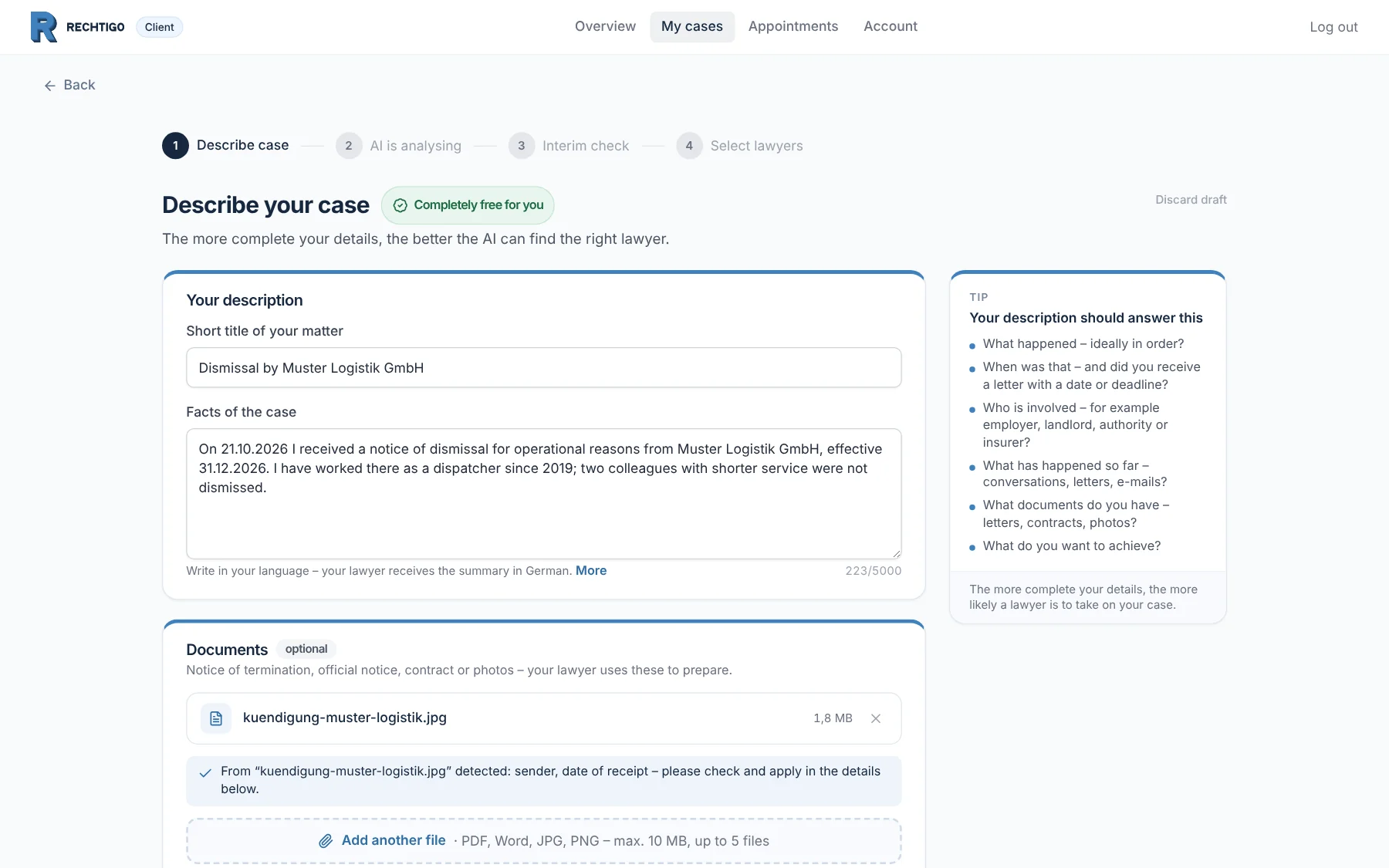
You describe what happened – just as you would tell a friend. Rechtigo takes details from the photo of your letter, assigns the case to an area of law and shows which deadline is running. This is completely free for you.

rechtigo.de/fall/neu
Screenshot from Rechtigo, view for clients: Your case in your own words
In the picture: View for clients: the case assistant on 21 October 2026 – client Anna Schulz describes her dismissal and has attached a photo of the letter; on the right, the questions a good description answers.

In your own words

Everyday language is enough – Rechtigo asks about what matters for your case.

Photo instead of typing

Sender and date from the photo of your letter; you confirm.

Deadline at a glance

The typical deadline is shown straight away, with a traffic light and date.

Completely free

Describing your case, getting an initial assessment and finding the right lawyer costs you nothing.

Photo of the letter

Sender and date from the photo

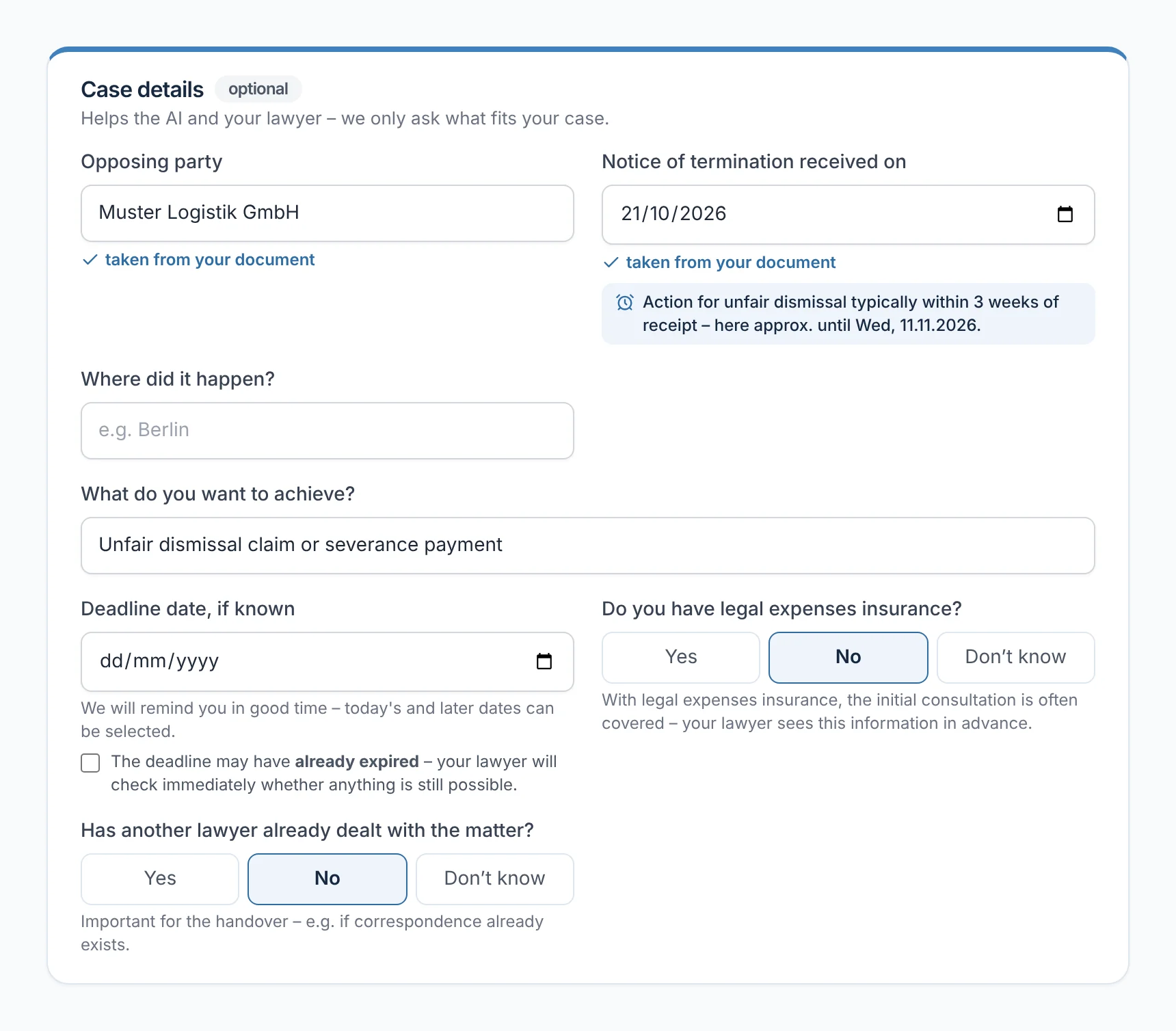
Attach a photo of the letter you received. Rechtigo reads the sender and date from it and suggests both – you accept them with one click or change them. If a date is already in your text, such as the day the notice of dismissal arrived, Rechtigo recognises it there too.

  • Photos are read; you attach PDFs and other documents as supporting documents
  • Anything taken over is marked: ‘taken from your document’
From everyday practice

On the evening of 21 October 2026, client Anna Schulz takes a photo of her letter of dismissal. Rechtigo suggests the employer Muster Logistik GmbH as the opposing party and 21 October 2026 as the date of receipt; she accepts both.
rechtigo.de/fall/neu
Screenshot from Rechtigo, view for clients: Sender and date from the photo
In the picture: View for clients: client Anna Schulz’s ‘Case details’ – she took the opposing party and the date of receipt, 21 October 2026, from her photo; below, the deadline to file a claim until approx. 11 November 2026.
Initial assessment

The initial assessment in short sentences

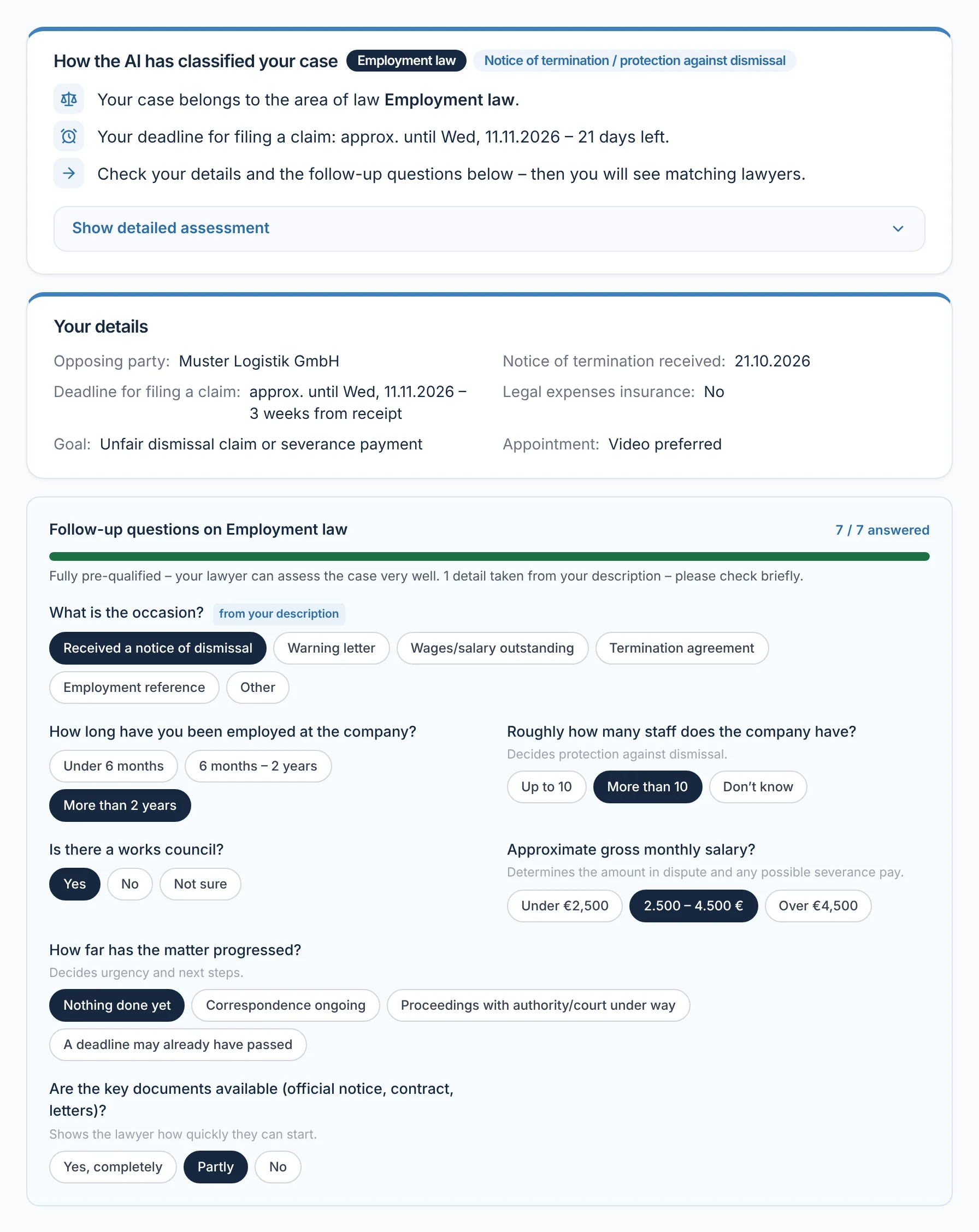
After you submit, the AI assesses your case. You read the result in short sentences: which area of law your case belongs to, which deadline is running and what comes next. You can expand the detailed assessment if you need it. Then you answer the follow-up questions that lawyers in your area of law ask first.

  • Rechtigo doesn’t ask again for anything that’s already in your details
From everyday practice

Client Anna Schulz answers seven follow-up questions on employment law, for example about the works council and company size. The answer ‘Notice of dismissal received’ was already in her description.

rechtigo.de/fall/neu
Screenshot from Rechtigo, view for clients: The initial assessment in short sentences
In the picture: View for clients: client Anna Schulz’s interim check – the initial assessment in three short sentences at the top, below it her details and seven answered follow-up questions on employment law.
Case roadmap

Deadline, costs and next steps

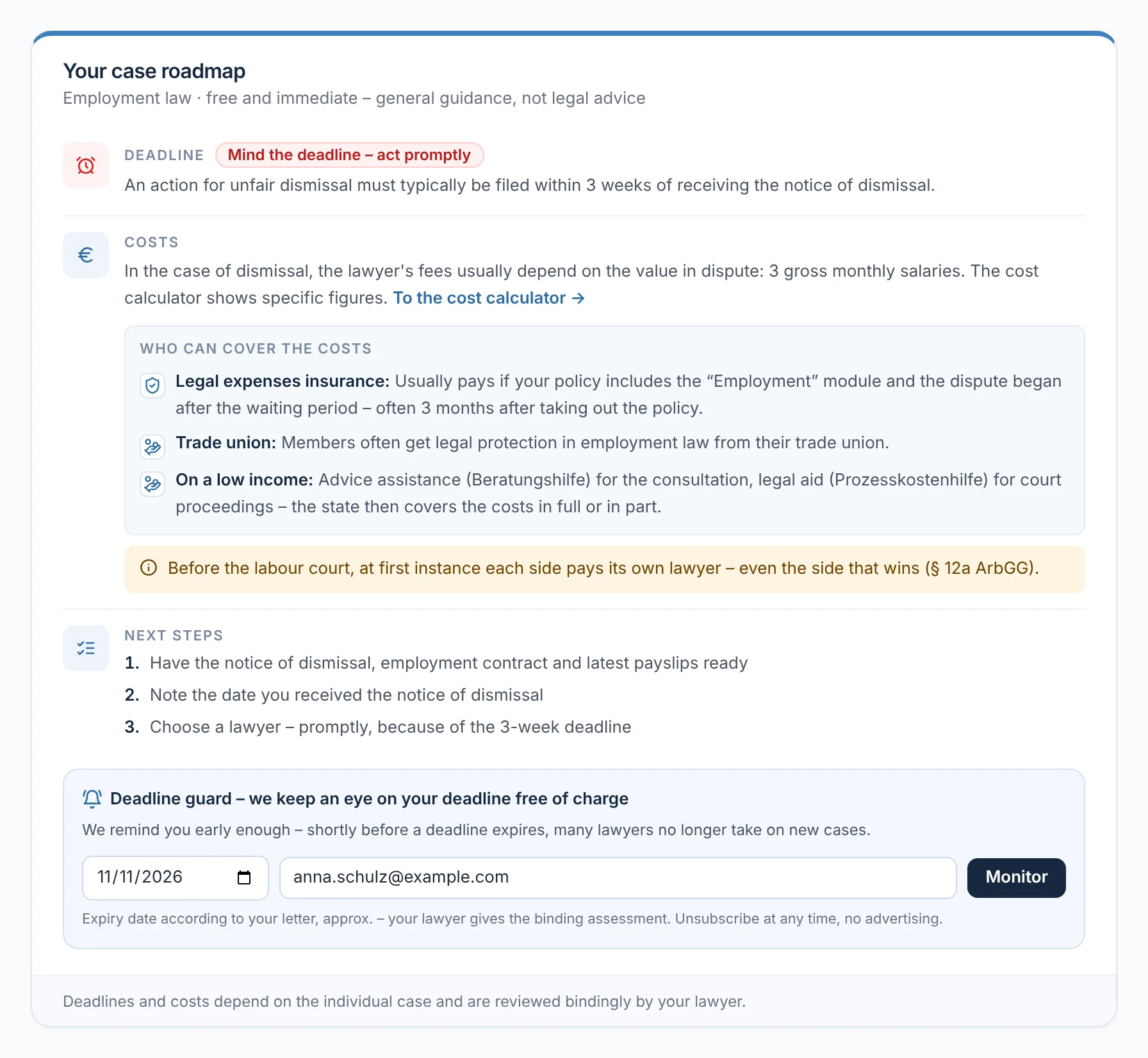
The case roadmap shows in plain words what matters now: the typical deadline with a traffic light, what the costs depend on and who may cover them – your legal expenses insurance and from when it pays, in employment law also your trade union, and on a low income the state. Plus the next three steps. Your lawyer gives the binding assessment.

  • If you like, the deadline guard reminds you of your deadline by e-mail
From everyday practice

At the top, client Anna Schulz sees ‘Mind the deadline – act promptly’. Under costs she reads that at the labour court, in the first instance, each side pays its own lawyer – even the side that wins.

More on the deadline guard
rechtigo.de/fall-schildern
Screenshot from Rechtigo, view for clients: Deadline, costs and next steps
In the picture: View for clients: client Anna Schulz’s case roadmap for employment law – deadline traffic light, costs and who may cover them, three next steps and, at the bottom, the deadline guard with 11 November 2026.
Your language

Write in your own language

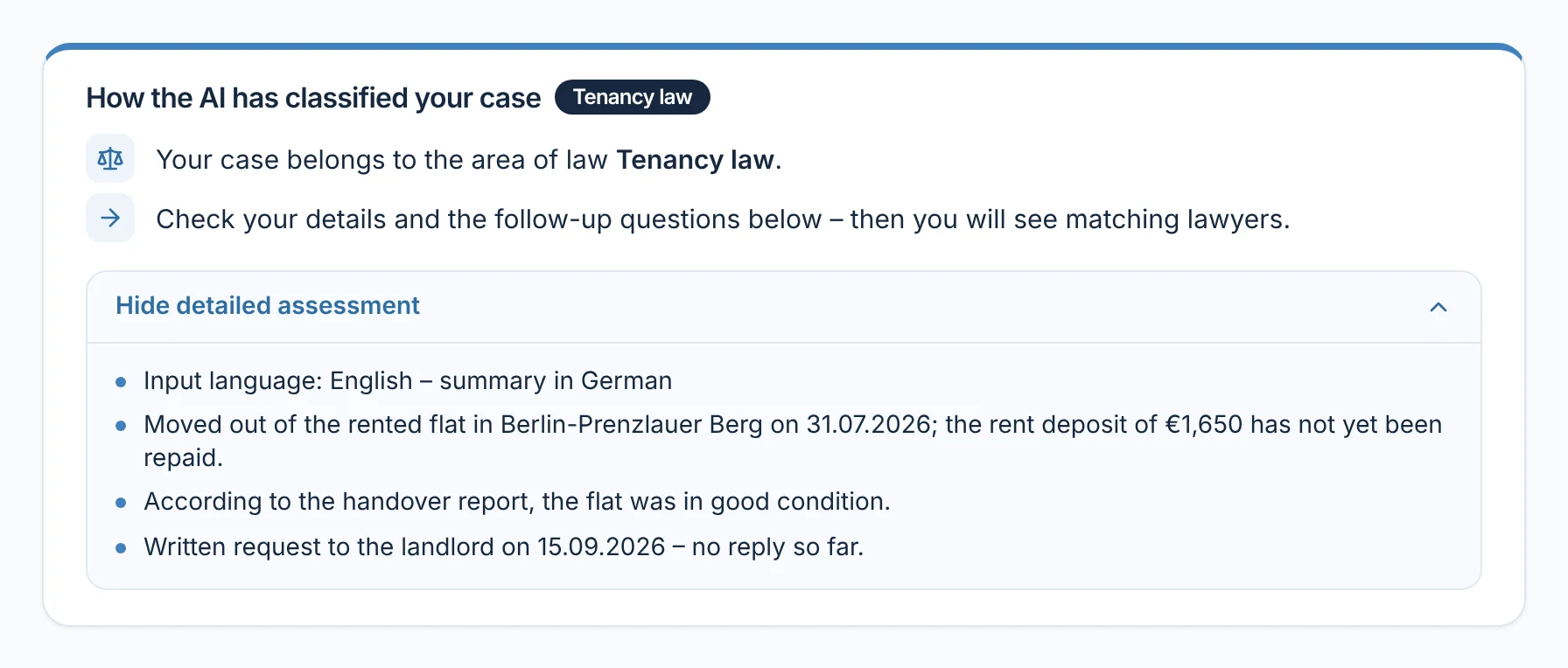
In the case assistant you may write in your own language. The AI summarises your case for the lawyer in German and notes which language you wrote in.

From everyday practice

A tenant explains in English that her deposit was not repaid after she moved out. Her lawyer reads three key points in German: move-out, amount of the deposit, request to the landlord without reply.

rechtigo.de/fall/neu
Screenshot from Rechtigo, view for clients: Write in your own language
In the picture: View for clients: a description in English, classed as tenancy law – expanded, the summary for the lawyer in German, with a note on the input language.
More

Also included

Documents included straight away

Up to five files – photos, PDFs or text documents, up to 10 MB each.

Check first, then describe

The official notice check and the dismissal check pass the type and date on to the case assistant.

Checks and calculators

Well prepared for your lawyer

Your lawyer sees the key points, deadline and your answers before the first meeting.

Questions

Frequently asked questions

Your question isn't here? Write to us at support@rechtigo.de.

Do I need to know legal terms?

No. Write it the way you experienced it. Rechtigo assesses the case and asks about what matters in your area of law.

How accurate is the deadline in the case roadmap?

It is the typical deadline, calculated from your details – for guidance. Your lawyer checks whether it applies exactly like this in your case.

How much detail do I need to give about my case?

At least 50 characters, so one or two sentences. Anything you think of later you can add to your case file at any time – documents too.

What if the initial assessment doesn’t fit?

Choose ‘Change details’ in the interim check, describe in more detail what happened and run the AI analysis again. It will then reassess your case.

What happens to the photo of my letter?

It goes into your case file as a document and is stored encrypted. Your lawyer only receives it once you send them a request or book with them.

Launch on 15 January 2027

Free for clients

Rechtigo launches on 15 January 2027. Sign up for the newsletter – we’ll let you know as soon as you can describe your case.