Skip to content
RECHTIGO
All features for clients
For family and business

Working on the case together – in the family and in the business

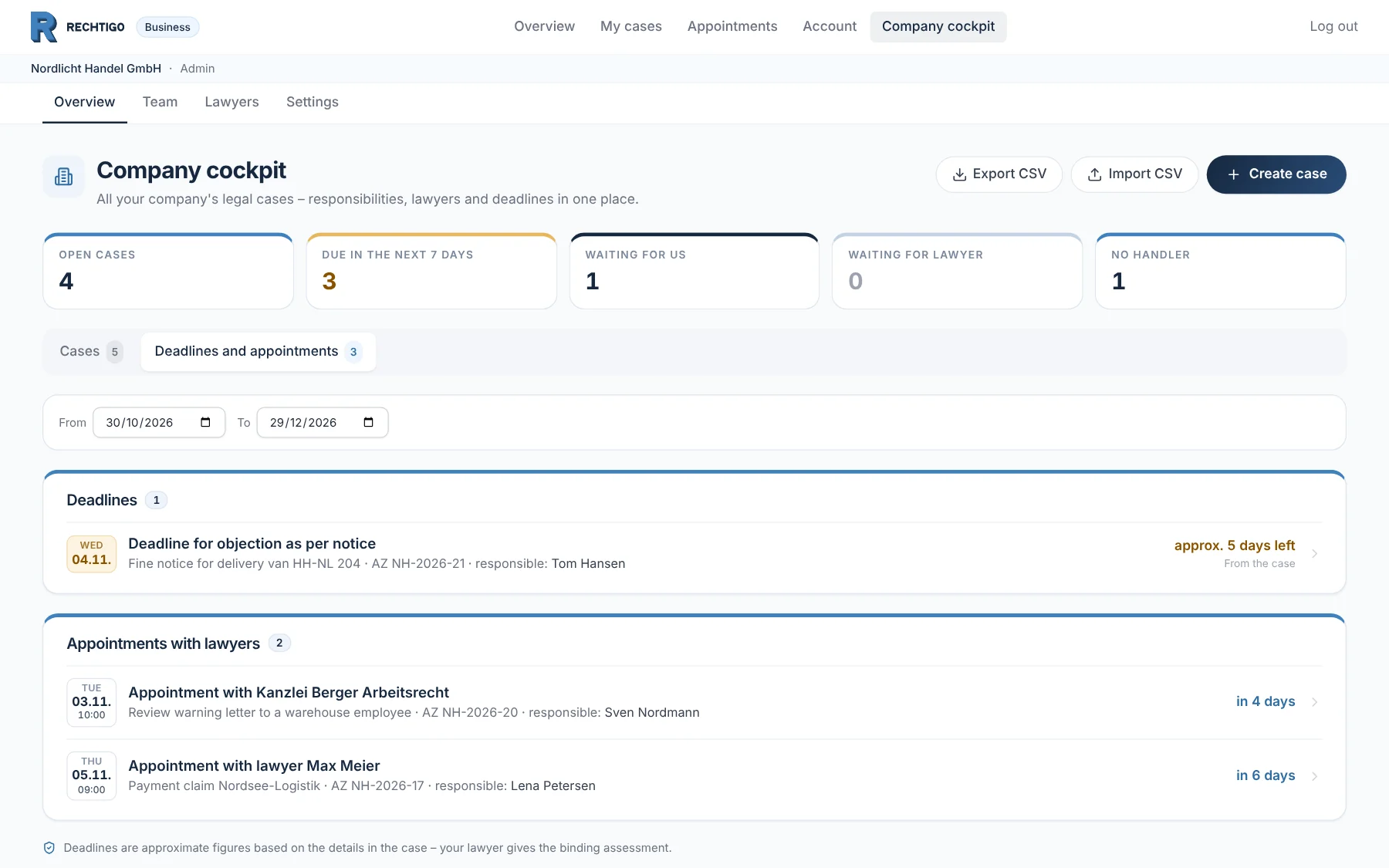
Relatives can help you with your case, with documents and messages – you decide. Businesses manage all legal cases in the business account: with a team, roles and their regular lawyers.

rechtigo.de/firma
Screenshot from Rechtigo, client view: Working on the case together – in the family and in the business
Pictured: Client view: the business cockpit of business client Nordlicht Handel GmbH, ‘Deadlines and appointments’ tab – key figures at the top, below a deadline and two appointments with lawyers, each with the person responsible.

Invite helpers

Up to three relatives per case, to read or to contribute.

Only you sign

Power of attorney, appointments and decisions stay with the case owner.

Business cockpit

All of the business’s cases, deadlines and lawyer appointments.

Team with roles

Owner, admin, case handler and reader.

Helper access

Relatives help – you decide

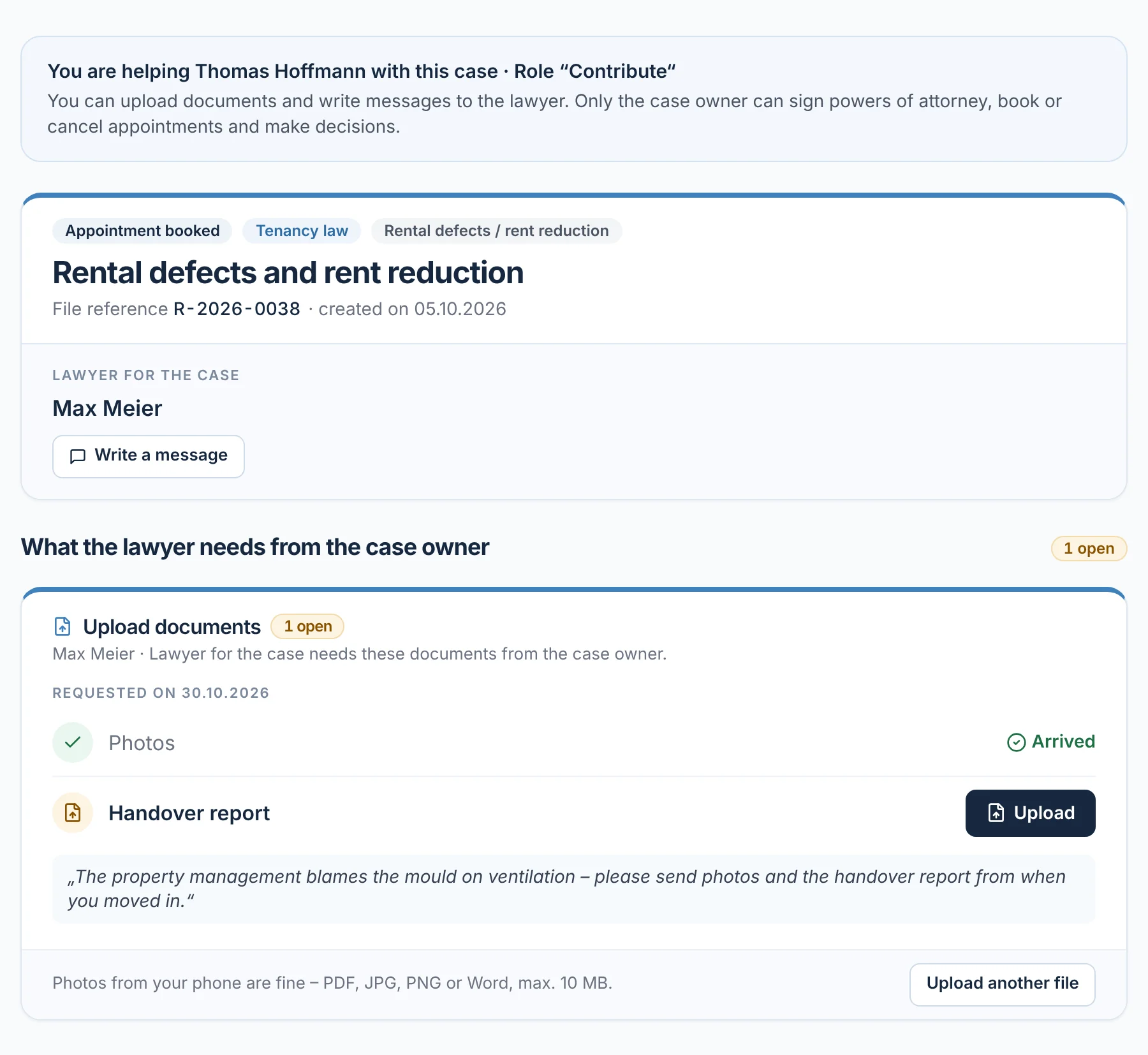
You can invite up to three helpers to your case, such as your partner or your adult children. With the ‘Read’ role they see the case, documents and messages; with ‘Contribute’ they can also upload documents and write to your lawyer. Only you can sign powers of attorney, book or cancel appointments and make decisions.

  • The invitation is valid for seven days; you can revoke access at any time
From everyday practice

Client Thomas Hoffmann invites his wife to his tenancy case. He uploaded the photos of the mould himself – she takes care of the handover report from moving in.
rechtigo.de/fall
Screenshot from Rechtigo, client view: Relatives help – you decide
Pictured: Client view: the case file of client Thomas Hoffmann as seen by his helper Claudia Hoffmann – at the top her ‘Contribute’ role, below the documents that lawyer Max Meier still needs.
Business team

Who in the business can do what

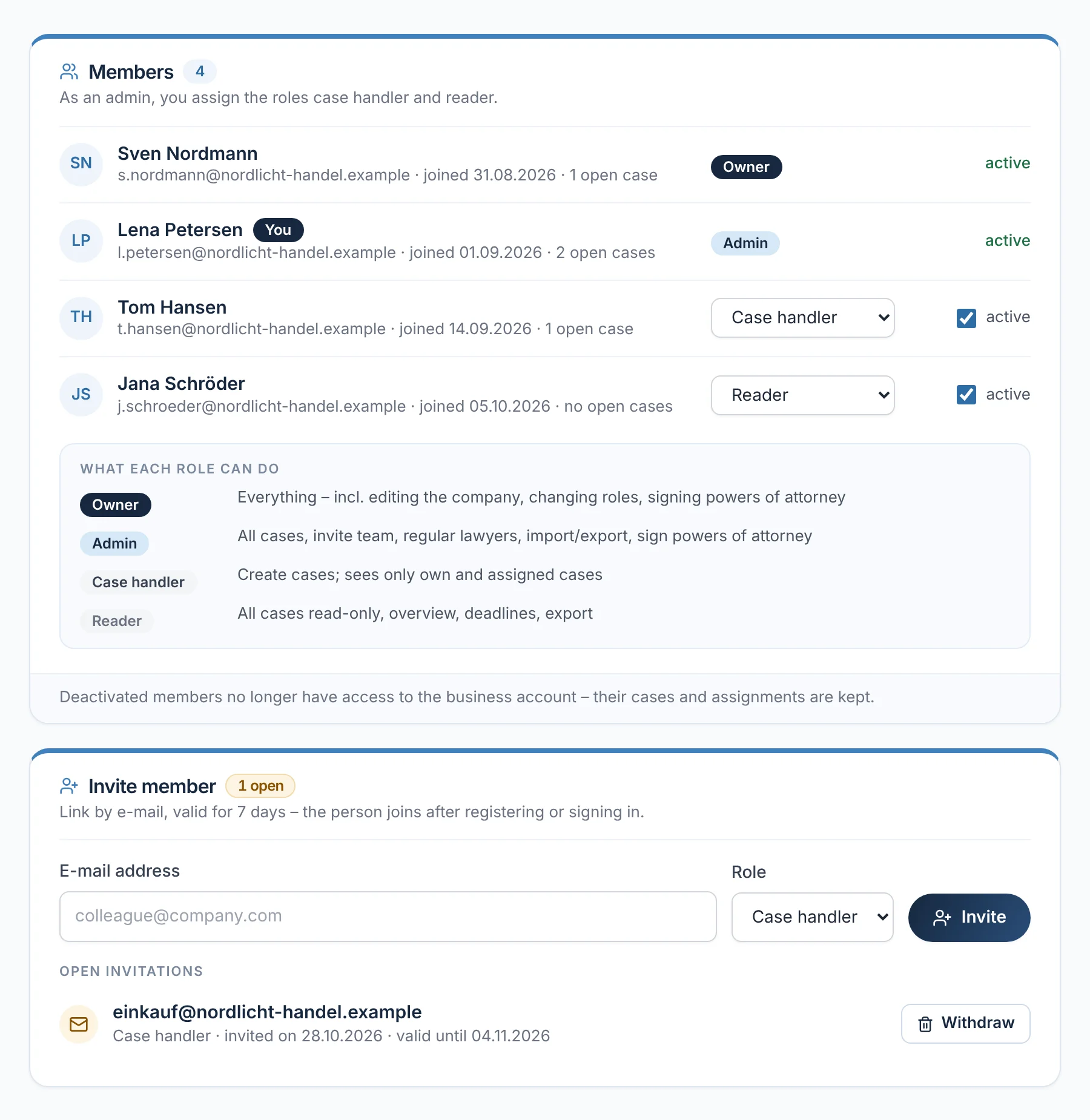
Several people work together in the business account. The owner assigns all roles; an admin invites case handlers and readers. Case handlers see their own cases and those assigned to them, readers see all cases without changing anything. Anyone who is deactivated no longer has access – their cases are kept.

  • Only the owner and admin sign powers of attorney for the business
From everyday practice

Business client Nordlicht Handel GmbH invites its purchasing team as case handlers; the invitation is valid until 04.11.2026.

rechtigo.de/firma/team
Screenshot from Rechtigo, client view: Who in the business can do what
Pictured: Client view: the team of business client Nordlicht Handel GmbH – four members with their roles, below what each role may do, and an open invitation.
Preferred lawyers

Preferred lawyers come first for new cases

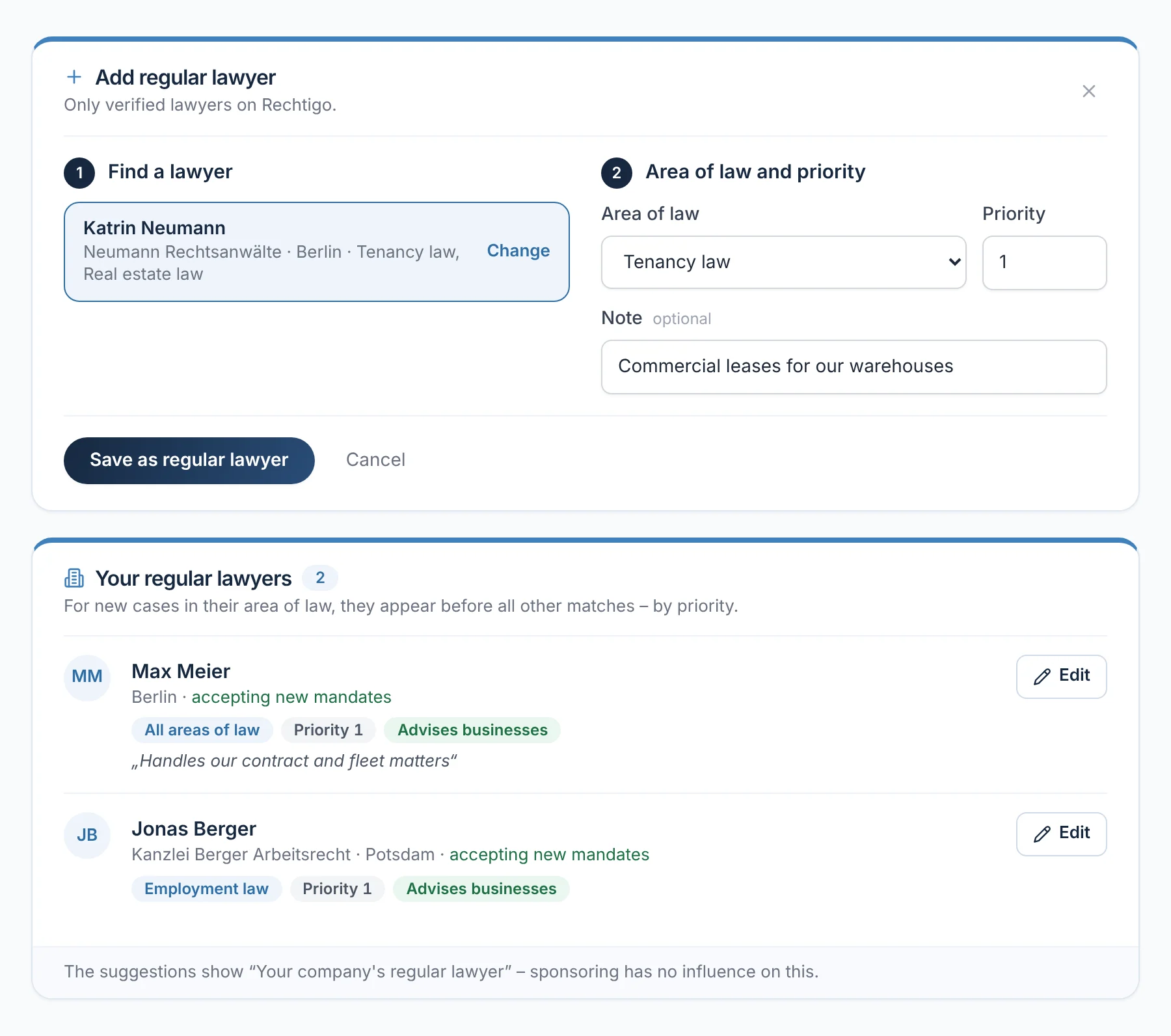
The business decides which lawyers it prefers for which area of law – with priority and a note. For a new case in that area of law, these regular lawyers appear before all other suggestions, marked as ‘Your business’s regular lawyer’. Only verified lawyers on Rechtigo can be chosen; sponsored places do not change this.

  • With ‘All areas of law’, a regular lawyer comes first for every case
rechtigo.de/firma
Screenshot from Rechtigo, client view: Preferred lawyers come first for new cases
Pictured: Client view: the regular lawyers of business client Nordlicht Handel GmbH – at the top, lawyer Katrin Neumann is being added for tenancy law, below lawyer Max Meier and a lawyer for employment law.
Existing cases

Import existing cases, export lists

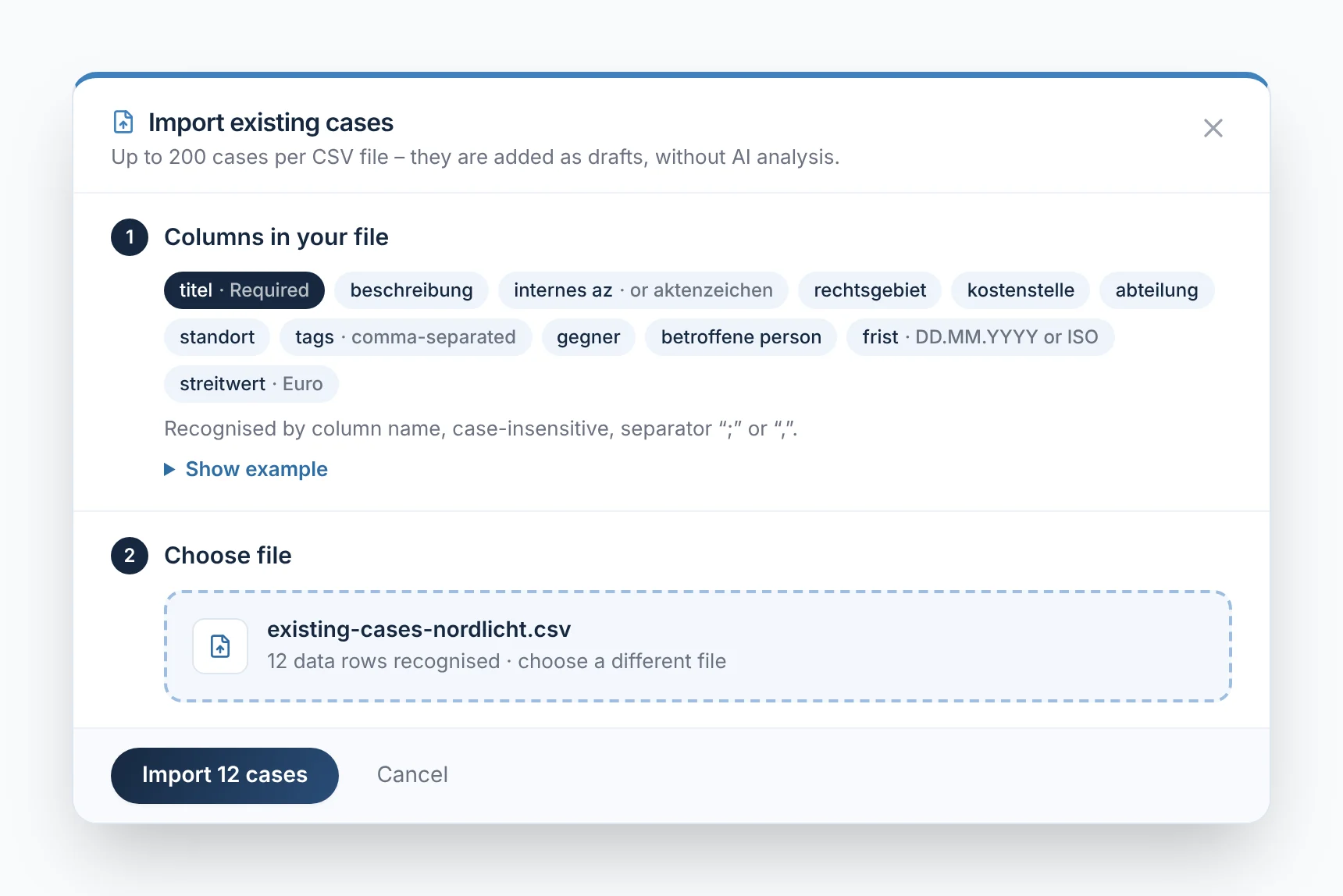
The business transfers ongoing cases via spreadsheet: up to 200 cases per CSV file; Rechtigo recognises the columns by their names. The cases arrive as drafts. The business exports the list of all visible cases with the current filter as a CSV. Its own systems create cases via an API key and read out status, deadlines and lawyer.

  • Import and keys are managed by the owner and admin
From everyday practice

Business client Nordlicht Handel GmbH transfers twelve ongoing cases from its spreadsheet – with file reference, cost centre and deadline.

rechtigo.de/firma
Screenshot from Rechtigo, client view: Import existing cases, export lists
Pictured: Client view: the ‘Import existing cases’ dialogue of business client Nordlicht Handel GmbH – recognised columns, the selected file with 12 rows and ‘Import 12 cases’.
More

Also in the business account

Deadlines and appointments

All deadlines and lawyer appointments for a period, each case with the person responsible.

Clickable key figures

One click on ‘No case handler’ shows only the cases nobody is taking care of yet.

Cost centre, department, location

The business assigns each case and filters by it.

Questions

Frequently asked questions

Your question isn't here? Write to us at support@rechtigo.de.

Can a helper sign for me?

No. Only the person who owns the case can sign powers of attorney and make decisions. Your helper does not represent you legally – they support you with documents and messages.

Who in the business sees which cases?

The owner, admin and readers see all of the business’s cases; case handlers see their own and those assigned to them.

Does my helper need their own account?

Yes. They accept your invitation with their own Rechtigo account – signed in with the e-mail address you sent the invitation to.

Does my helper also see my other cases?

No. A helper only sees the case you invited them to – not your other cases, your contracts or your account.

How does our business get a business account?

When registering, choose ‘Business’ and enter the company details – you are then the owner. The business account is also completely free.

Launch on 15 January 2027

Free for clients

Rechtigo launches on 15 January 2027. Sign up for the newsletter – we’ll let you know as soon as you can describe your case.