From first contact to the letter sent.
Rechtigo accompanies every mandate from the request to its conclusion. What repeats itself, Rechtigo prepares – you make the decision on every letter.
- New mandates without commission – €0 per mandate
- The Rechtigo Assistant drafts your letters from template and case file
- Case file, deadlines, post and client in one place
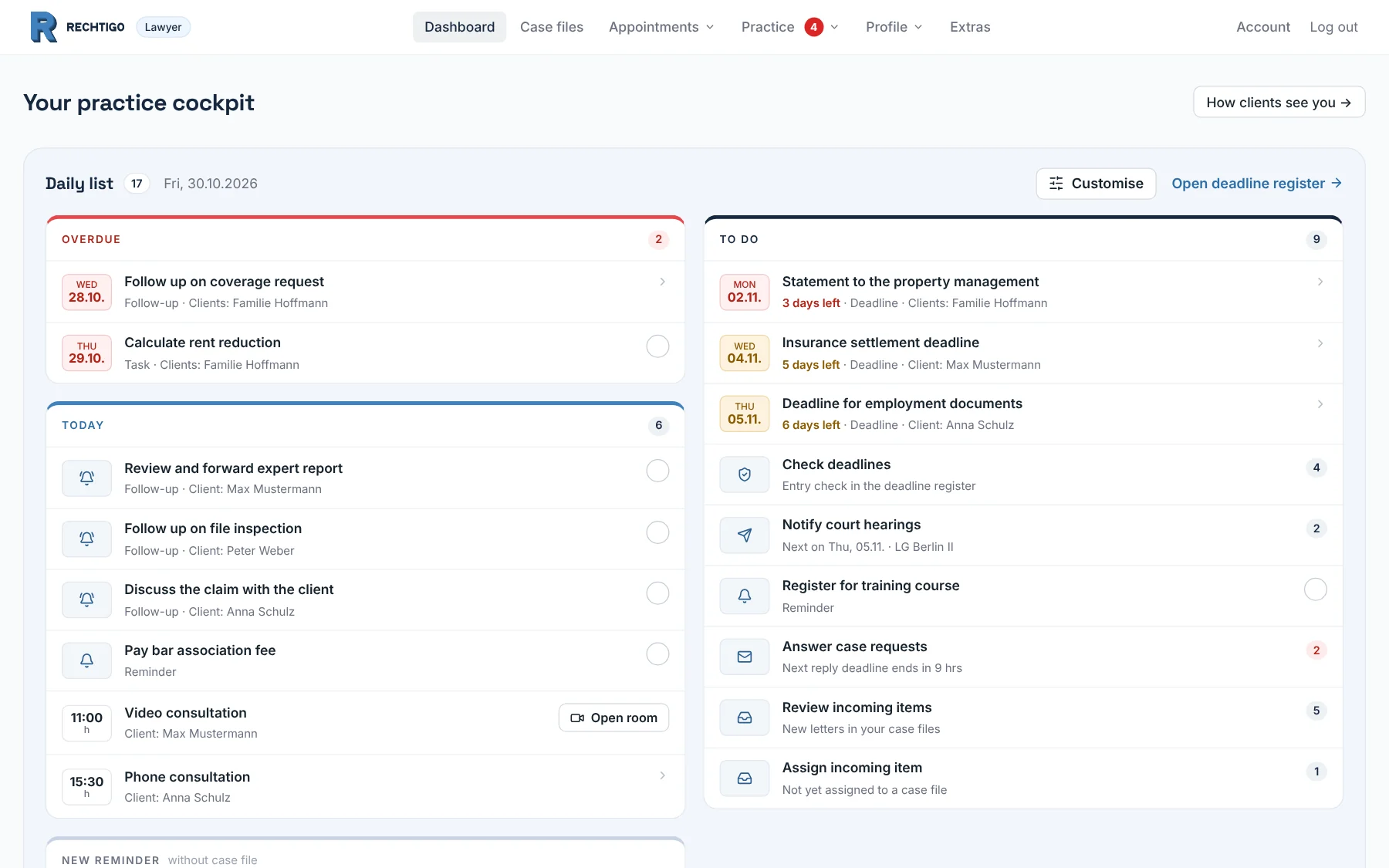
Eleven areas that work together
What your client enters in the request is in the case file. Rechtigo suggests deadlines from the post for the deadline register, and the Assistant drafts your letters from the case file data.
Case and case file
What is still missing, which deadline is running, what has come in – and all case files at a glance.
- Every case on one page – deadlines, post, messages
- Post sent to your Rechtigo address lands in the right case file
- Your client sees the status themselves
Rechtigo Assistant
Your templates, filled with the case file data – you review every draft and approve it.
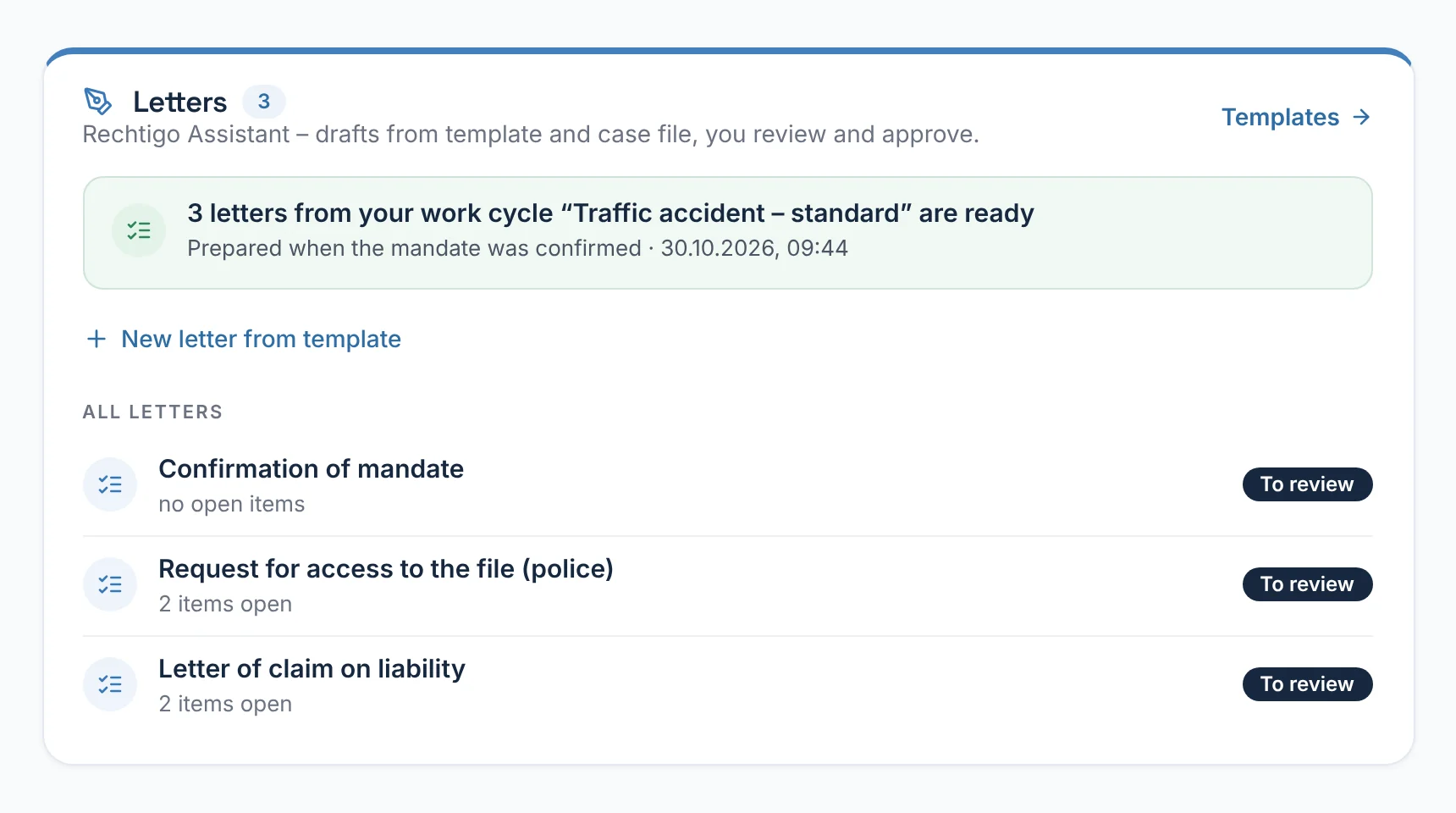
- Drafts from your templates and the case file
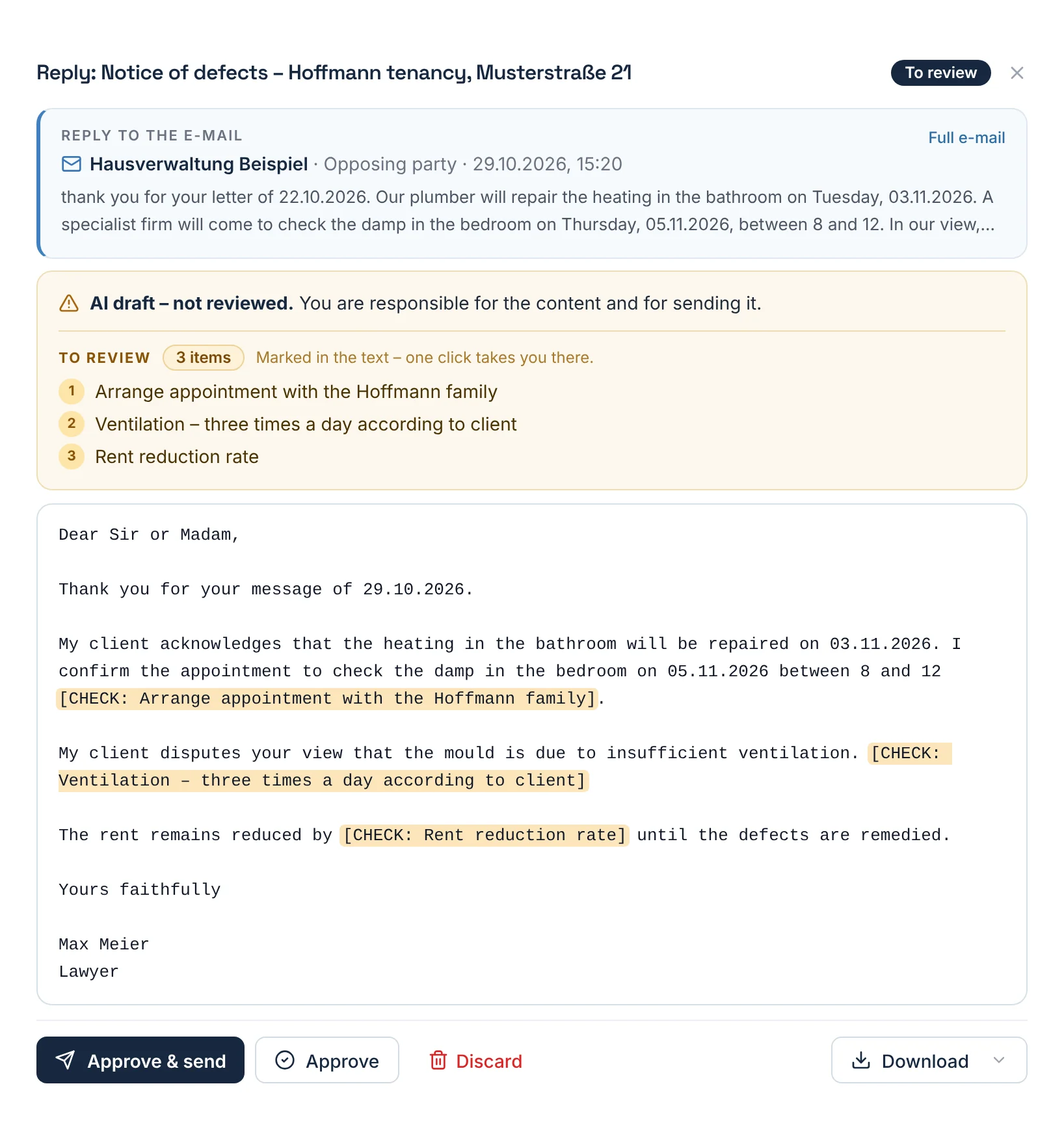
- Replies to incoming post already prepared
- Nothing goes out before you approve it
Tools for clients
Clients check an official notice, a termination or an accident themselves – the case comes to you.
- Clients check their situation and deadline themselves
- The case comes to you with details and deadline
- Official notice, termination, accident, fine, letter scanner
Case file from an incoming expert report
An expert report on a new accident? The case file is prepared.
Learn moreMandate and power of attorney
Request the power of attorney with a click, signed on screen.
Learn moreLegal expenses insurance and coverage request
Coverage request from the case data, the reply in the case file.
Learn moreAppointments and case requests
Booking from your consultation hours, requests with a case description.
Learn moreDeadlines and follow-ups
Deadlines suggested from the post, with entry check.
Learn moreTeam and staff
Lawyer team, staff with access per case file, partners.
Learn moreVisibility
Verified profile, suggestions with reasons, genuine reviews.
Learn moreExtras
Phone assistant and website chatbot take down enquiries.
Learn moreYour instruction. Its draft. Your approval.
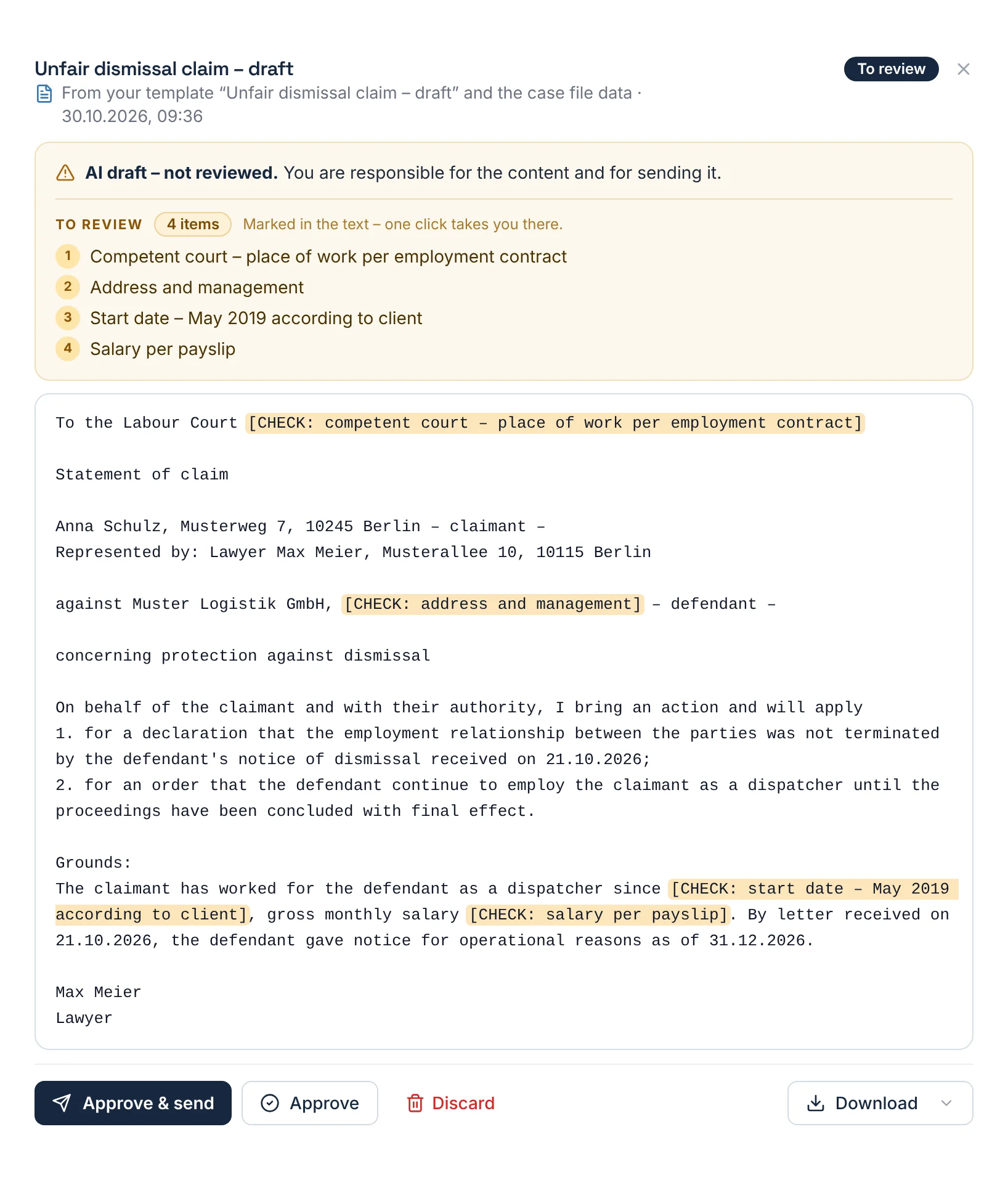
Three examples from everyday practice – on the left, what you ask the Assistant; on the right, the draft in the case file.
How a case works with Rechtigo
One case in eight steps: the client Anna Schulz has received notice of dismissal from her employer, delivered on 21.10.2026. From the request to the conclusion, everything is in one case file.
- Step 1Client
Request
The client Anna Schulz checks her dismissal in the dismissal check and describes her case to you.
On your side: the request with a case brief – key points, opposing party, deadline for filing a claim until approx. 11.11.2026
Tools for clients - Step 2Client
Appointment
Your client books an appointment from your consultation hours and chooses video instead of in person.
Confirmed immediately; Rechtigo creates the video room itself
Appointments and case requests - Step 3You
Mandate
You request the power of attorney; your client signs on screen and uploads what your checklist lists.
Power of attorney and documents in the case file – and, if you wish, in your practice management software too
Mandate and power of attorney - Step 4Rechtigo
Legal expenses insurance
Whether your client has legal expenses insurance is already in her request – for insured clients, the coverage request is created from the case data.
The client Anna Schulz is not insured; otherwise the request would be ready to send
Legal expenses insurance and coverage request - Step 5Rechtigo
Post and deadlines
The employer's reply to your letter from Rechtigo arrives in the case file by itself; Rechtigo recognises the deadline for filing a claim in it.
Deadline for filing a claim until 11.11.2026, checked by you against the original
Deadlines and follow-ups - Step 6You
Letters
The Rechtigo Assistant drafts the unfair dismissal claim from your template; you review the marked points and approve.
The claim as a PDF with your letterhead – you file it via beA
Rechtigo Assistant - Step 7You
Client informed
In the case tracker, you complete the stage for the filed claim and add two sentences; your client reads both in her case file.
An e-mail to your client for every stage and message
Case and case file - Step 8You
Conclusion
You complete the final stage ‘Case closed’, your client sees it in the case tracker; you record the outcome in the case file.
Your client's review from the appointment appears in your profile
Visibility
How to get started with Rechtigo
Four steps from registration to your first request.
- Step 1
Register
You take your name, address and specialist lawyer title from the official lawyer directory.
Register for free - Step 2
beA verification
You send a code from Rechtigo from your beA – if the sender matches, your profile is activated.
Visibility - Step 3
Profile and consultation hours
Areas of law, specialisms and your hours per weekday – these become bookable appointments.
Appointments and case requests - Step 4
First requests
Clients find you via the search and the tools on rechtigo.de; requests and appointments appear in your practice cockpit.
Tools for clients
Who is Rechtigo for?
For lawyers who want to handle their mandates digitally – on their own or as a team with colleagues and staff.
Does Rechtigo replace my practice management software?
No. Rechtigo is your workspace for the case, from the request to its conclusion. Your practice management software stays; if you wish, new case files go there by e-mail, together with the power of attorney and documents.
What does the AI do – and what doesn't it do?
It sorts incoming post, reads details from letters and fills your templates with values from the case file. It decides nothing; you approve whatever goes out.
How long am I committed for?
At most until the end of the month: you can cancel at any time to the end of the calendar month under ‘Profile → Subscription’. After that, new clients will no longer find you; ongoing case files, messages, deadlines and documents remain accessible to you and your clients.
How do new clients reach me?
In three ways: the search for verified lawyers, the suggestions after a case description and the tools on rechtigo.de that clients use to check their situation. The order of the suggestions cannot be bought.